Showing posts with label by. Show all posts

Thursday, November 21, 2013

Supported HTC Phones by iphone htc blackberry

Supported HTC Phones by iphone-htc-blackberry


HTC
Android-based
Desire: HTC Bravo | HTC Desire (GSM) | A8181 | A8182 |A8183
Desire HD: HTC Ace
Dream: HTC T-mobile G1 | Android Dev phone | HTC Dream| A71xx
Espresso: T-mobile myTouch 3G Slide | HTC Espresso
Glacier: HTC myTouch 4G | HTC myTouch 4G HD | HTC Glacier
Hero: HTC Hero | T-mobile G2 Touch | HTC A6262 | Dopod Magic
Intruder: AT&T Aria | HTC Aria | HTC Intruder | HTC Liberty| HTC A6366 | HTC Gratia
Legend: HTC Legend| HTC A6363
Nexus One: HTC Nexus One | Google Nexus One | HTC Passion | HTC Dragon
Saphire: HTC Magic | Vodafone HTC Magic | Dopod Magic |Google ION | T-mobile myTouch 3G | NTT DoCoMo Pro series HT-03A | HTC A61xx
Vision: HTC Vision | T-mobile USA G2 | HTC Desire Z
Wildlife: HTC Wildlife (GSM) | A3333 | HTC Buzz
Tattoo: HTC Click | A3232 | HTC Tattoo
Paradise: HTC Paradise
HTC
Touch phones
Blackstone: HTC Touch HD | HTC T8282 | HTC Blackstone
Leo: HTC HD2 | HTC Leo | HTC Leo 100 | T9193 | T8585
Mega: HTC Mega | HTC T3320 | HTC T3333 | HTC Touch 2 |T3330
Topaz: HTC Touch Diamond2 | Orange Touch Diamond 2 |O2 XDA Diamond 2 | T-mobile MDA Compact V | AT&T Pure| HTC Pure | T5353 | HTC Topaz 210 | ST6356 | HTC Warhawk
Rhodium: T-Mobile MDA Vario 5 | HTC Touch Pro 2 | AT&T Tilt2 | HTC Tilt 2 | HTC T7373 | HTC 7377
HTC
Windows 7 phones
HTC 7 Pro: HTC 7 Pro (support coming soon)
Surround: AT&T HTC 7 Surround | AT&T U-verse Mobile |HTC Mondrian | HTC 7 Trophy (support coming soon)

Trophy: HTC Spark (update available via HD7 unlock kit)
Schubert: HTC HD7 | T-mobile HTC HD7 (update available via HD7 unlock kit)
Mozart: : HTC 7 Mozart (available via HD7 unlock kit)
HTC
Brew-based phones
Smart: HTC Rome
Aqua: HTC Freestyle

Saturday, November 16, 2013

M715 Anycall unlock done by octopus and change english language success

Toos:
Octopus activated
KH4500 USB Cable


note:

Quote:
unlock first the phone before change english language
Procedure:
set first to phone mode
go to usb settings then choose PHONE and press left soft button
Then Go to Dial window then Type *#9090#
hit #1 to choose (1)URT_USB_DIAG
restart the phone then isnsert usb cable
open octopus samsung and select M715
click read info
read NVM then tick READ CODES....


1. Go to dial window.
2. Enter "319712358" number.
3. Enter "774632" password and press left soft button.
4. Select "USIM Settings" menu item and press "OK".
5. Select "Network personalizaion" menu item and press "OK".
6. In "Network Lock" list select first option and press left soft button.
7. Enter phone unlock code and press "OK".
8. Restart phone.
 Unlock done...

change language na naman tayo...

Procedure how to change language:
Quote:
Active Sync must be Installed

Battery Must Full Charge
Connect Turned OFF Phone to PC

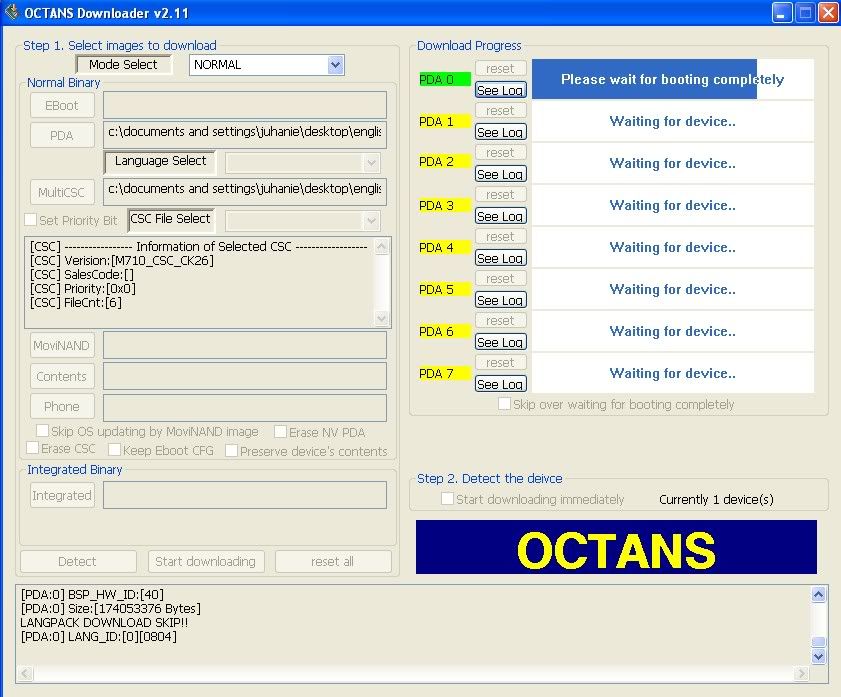
Run Octans Flasher and Set Files

Tick PDA and browse for M715 English ROM

Tick MultiCSC and Browse for M715 English CSC

then tick DETECT

then Hold power Button

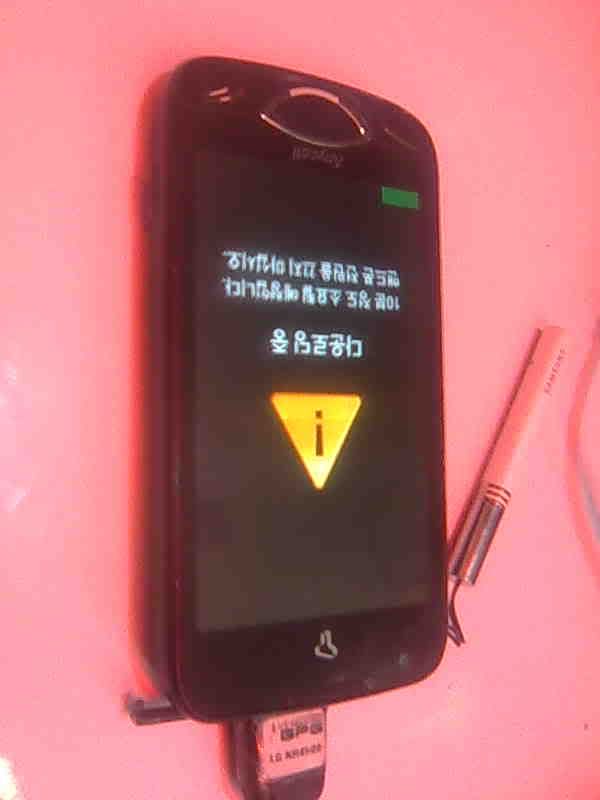
After its Detected ( Phone must be in Download Mode )

Start Downloading Button in Octans Flasher will High ligth

then tick Start Downloading Button and wait

till flashing process END

wag hugutin ang phone sa PC hanggang sa mag reboot

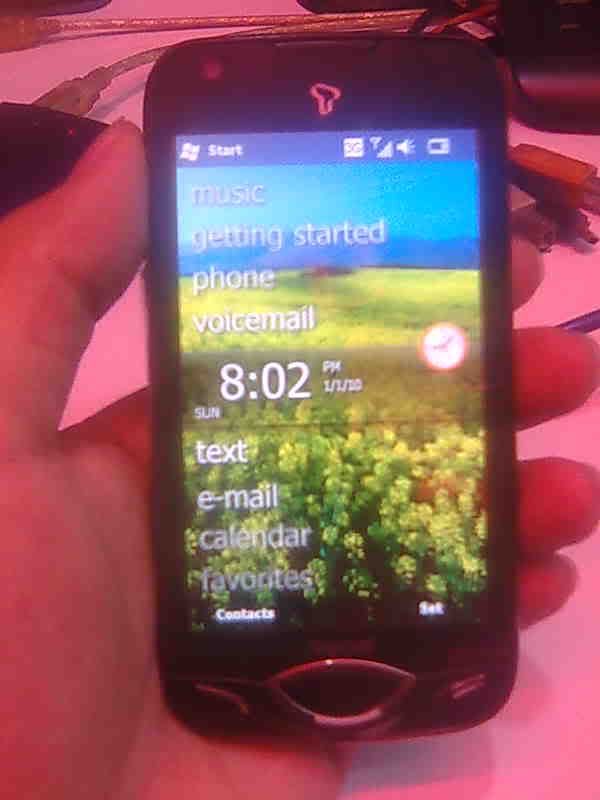
at lumabas ang TAP THE SCREEN

para mag calibrate ng touch screen


Friday, October 25, 2013

Nokia 101 Easy Light Solution By Jumpering

Nokia 101 Lcd Light Solution
Nokia 101 Keypad Light Solution

Saturday, October 19, 2013

M715 Anycall unlock done by octopus and change english language success

Toos:
Octopus activated
KH4500 USB Cable


note:

Quote:
unlock first the phone before change english language
Procedure:
set first to phone mode
go to usb settings then choose PHONE and press left soft button
Then Go to Dial window then Type *#9090#
hit #1 to choose (1)URT_USB_DIAG
restart the phone then isnsert usb cable
open octopus samsung and select M715
click read info
read NVM then tick READ CODES....


1. Go to dial window.
2. Enter "319712358" number.
3. Enter "774632" password and press left soft button.
4. Select "USIM Settings" menu item and press "OK".
5. Select "Network personalizaion" menu item and press "OK".
6. In "Network Lock" list select first option and press left soft button.
7. Enter phone unlock code and press "OK".
8. Restart phone.
 Unlock done...

change language na naman tayo...

Procedure how to change language:
Quote:
Active Sync must be Installed

Battery Must Full Charge
Connect Turned OFF Phone to PC

Run Octans Flasher and Set Files

Tick PDA and browse for M715 English ROM

Tick MultiCSC and Browse for M715 English CSC

then tick DETECT

then Hold power Button

After its Detected ( Phone must be in Download Mode )

Start Downloading Button in Octans Flasher will High ligth

then tick Start Downloading Button and wait

till flashing process END

wag hugutin ang phone sa PC hanggang sa mag reboot

at lumabas ang TAP THE SCREEN

para mag calibrate ng touch screen


Saturday, October 12, 2013

MOTOROLA Droid A855 Too Many Pattern Attempt Done By Hard Reset


Problem;Too Many Patter Attempt...
Solution; Hard Reset

Procedure;

1.Slide The PHone To See The Keypad

2.Hold The Letter X Then Press The Power ON THen Wait


3.After To See This Logo Press Camera Button And Volume Key Until You See The Selection Text
  Select Wipe Date Factory Reset


4.Select Delete All Data Wait To Show Completed

5.Reboot System Done


Motorola Droid Hard Reset - YouTube

Friday, October 11, 2013

Nokia 101 Easy Light Solution By Jumpering

Nokia 101 Easy Light Solution By Jumpering

undefined
Nokia 101 Lcd Light Solution
Nokia 101 Keypad Light Solution

Wednesday, October 9, 2013

Nokia C2 01 No Sound On Headset Solution By Easy Jumper

Nokia C2-01 Handsfree Problem Solution

Thursday, October 3, 2013

M715 Anycall unlock done by octopus and change english language success

M715 Anycall unlock done by octopus and change english language success

Toos:
Octopus activated
KH4500 USB Cable


note:

Quote:
unlock first the phone before change english language
Procedure:
set first to phone mode
go to usb settings then choose PHONE and press left soft button
Then Go to Dial window then Type *#9090#
hit #1 to choose (1)URT_USB_DIAG
restart the phone then isnsert usb cable
open octopus samsung and select M715
click read info
read NVM then tick READ CODES....


undefined
1. Go to dial window.
2. Enter "319712358" number.
3. Enter "774632" password and press left soft button.
4. Select "USIM Settings" menu item and press "OK".
5. Select "Network personalizaion" menu item and press "OK".
6. In "Network Lock" list select first option and press left soft button.
7. Enter phone unlock code and press "OK".
8. Restart phone.
 Unlock done...

change language na naman tayo...

Procedure how to change language:
Quote:
Active Sync must be Installed

Battery Must Full Charge
Connect Turned OFF Phone to PC

Run Octans Flasher and Set Files

Tick PDA and browse for M715 English ROM

Tick MultiCSC and Browse for M715 English CSC

then tick DETECT

then Hold power Button

After its Detected ( Phone must be in Download Mode )

Start Downloading Button in Octans Flasher will High ligth

then tick Start Downloading Button and wait

till flashing process END

wag hugutin ang phone sa PC hanggang sa mag reboot

at lumabas ang TAP THE SCREEN

para mag calibrate ng touch screen


undefined
undefined

undefined


Saturday, September 7, 2013

Nokia 1280 New Display Light Solution By Jumpering

Nokia 1280 Display Light Problem Solution
Nokia 1280 No Lcd Light Solution Jumper Trick