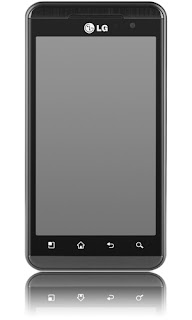
Heres a step by step instruction on how to properly Hard reset the LG Optimus 3D, If you wantto returnit to its factory settings again.
This procedures is only advisable if the youd experience a hang or frozenproblemin your device when using or opening any applications installed.
Please bear in mind that the result of this procedure will delete all data yoy previously installed on your handset. This process may or may not delete data stored on the microSD card. Just do have a back up copy of all your important data on the device before proceeding.
Factory reset through Menu Settings:
On the main HOME screen, select MENU 2. Select SETTINGS, then PRIVACY 3. Select FACTORY DATA RESET 4. Select RESET PHONE 5. When Password is prompted, enter it. Then select ERASE EVERYTHING.
If the problem still persists, or if the phone is frozen, you may then try to hard reset your LG Optimus 3D P920 through button combination. 1. If your LG Optimus 3D P920 is frozen, turn the Power OFF, pull out the battery and reinsert it back again. 2. Hold the Home and Volume Down button 3. Press and hold the Power button until the device turns on 4. Follow the on-screen instructions on how to reset your LG Optimus 3D P920
Wait till the process finish. Once the wipe is complete, the phone will reboot to its factorydefault state settings. All data you previously installed on it already been deleted.
Remove Too Many Attempts Pattern Lock With Easy Trick
1.Pwer Off The Phone First. 2.Press Volume Down And Home Keys Together Then Press The Power ON Button. 3.Press And Hold Down The Keys Until LG Logo Appear On Screen. NOW Your Phone Will Reset


 On the main HOME screen, select MENU


